YOUR APP, ONE TAP AWAY
Install Upfront Fitness.
New phone, deleted icon, or getting started? Follow the steps below. If you already have an account, use your usual email and password.
Keep Upfront Fitness on your home screen so your training and check-ins are easy to find.
STEP 1 OF 8 · CHROME
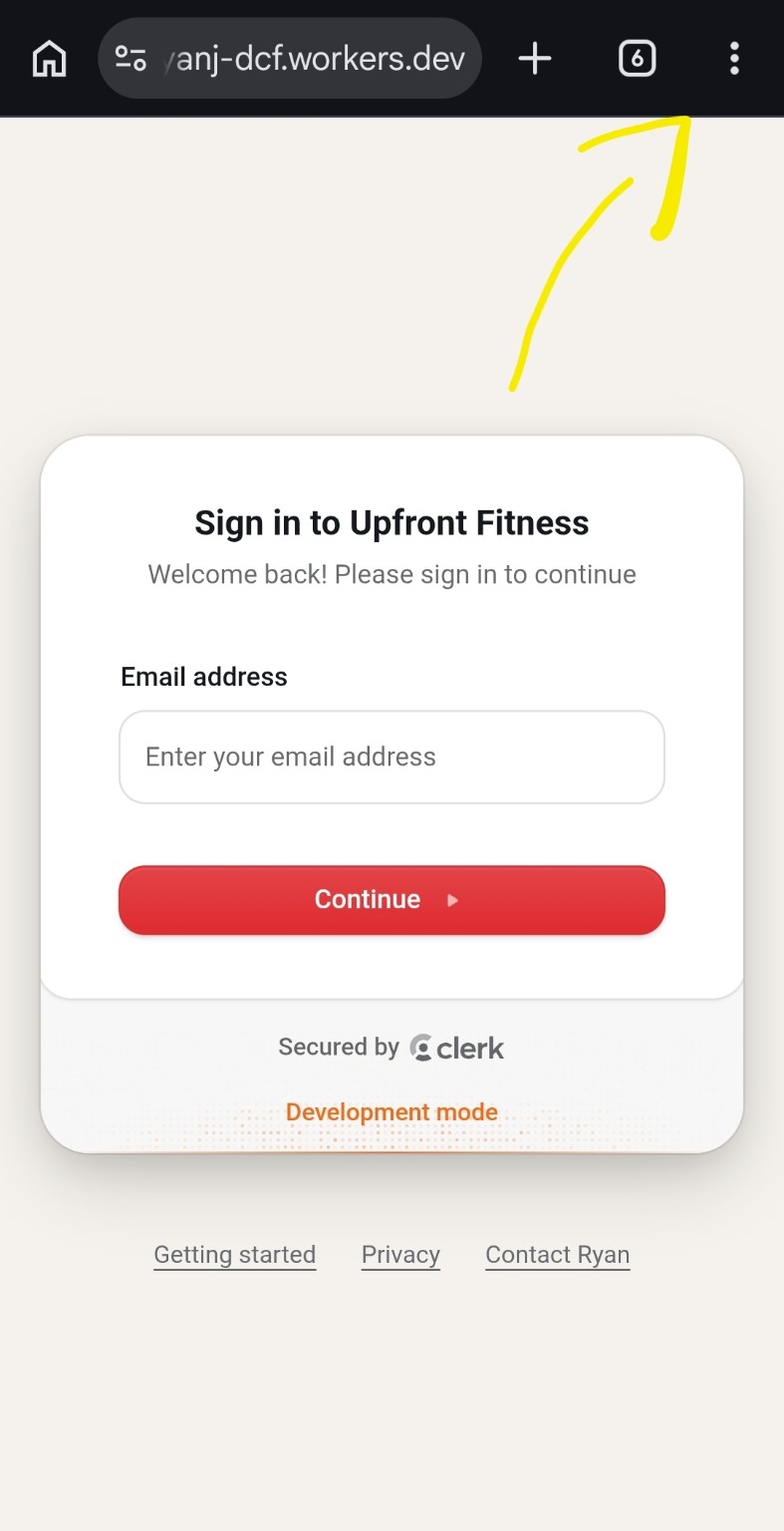
Open Chrome’s menu
Tap the three-dot menu in the top-right corner of Chrome.
Can’t find the install option?
Open the app link directly in Chrome on Android or Safari on iPhone, rather than inside Gmail, Facebook or another app. On a computer? Open the same link on your phone.
If it is already installed, look for Upfront Fitness in your phone’s app list. Reinstalling uses your existing account and saved progress; you do not need another invitation.
The example screenshots show the sign-in screen. The browser’s install menu also works after you sign in.